Build a Knowledge Base Your AI Chatbot Can Actually Use
Why the knowledge base decides chatbot quality
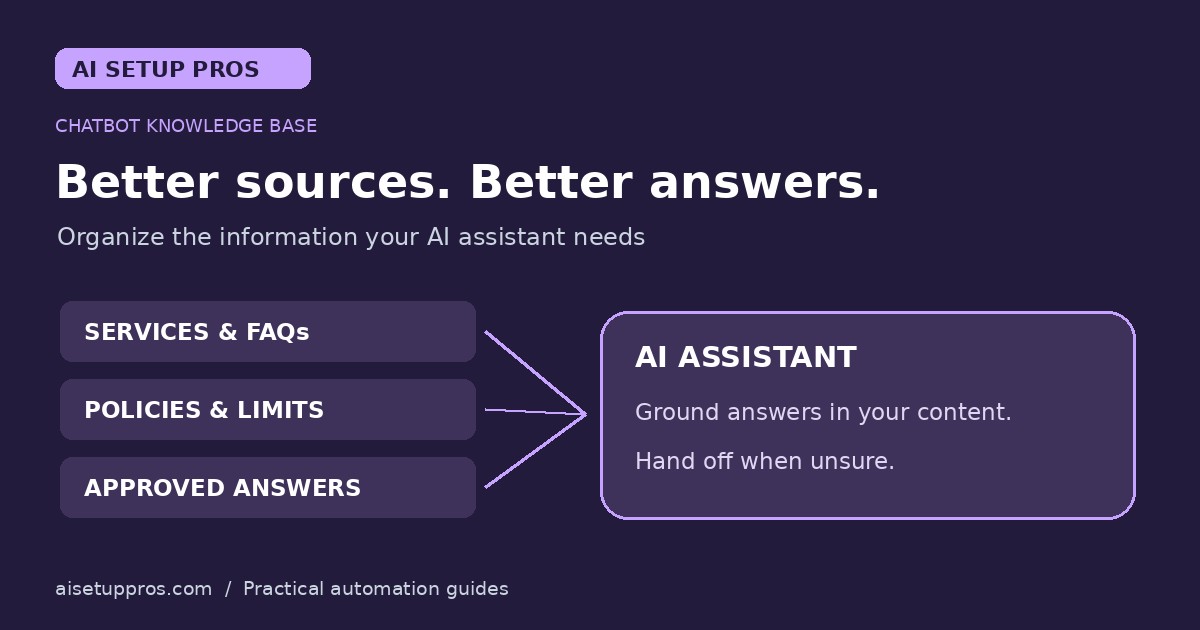
An AI chatbot is only as accurate as the information it is allowed to draw from. When answers live across support inboxes, spreadsheets, and one employee's memory, the bot either guesses or deflects, and customers notice. A clean knowledge base fixes this by giving the assistant a single, current source of truth for policies, pricing rules, service areas, and the questions people ask every day.
Most small businesses already own the raw material. Support emails, repeated phone questions, old quote requests, and a forgotten FAQ page contain the seeds of every article the chatbot will need. The job is not writing from scratch; it is collecting what exists, trimming it, and keeping the result current.
Start with the questions customers already ask
Pull the last sixty days of customer emails and phone notes and list every question that appeared more than twice. Group them into themes such as scheduling, pricing, service area, warranties, and what happens after purchase. This list beats any generic template because it reflects what your customers genuinely want to know before they buy.
Aim for twenty to forty solid answers before launch. Each answer should lead with the key fact in its first sentence, then add the details a customer needs to act. Short, direct entries beat long essays because both people and assistants find the important part faster.
Write in plain language and one voice
Rewrite each answer in plain sentences you could read aloud on a phone call. Avoid internal jargon, product code names, and hedging where a direct sentence will do. If two documents disagree about a policy, resolve the conflict before launch; a chatbot that repeats contradictory information damages trust faster than having no chatbot at all.
Keep formatting predictable: one question per section, short paragraphs, and consistent wording for your business name, services, and policies. Predictability helps the assistant retrieve the right passage and helps your team maintain the content later without hunting through old threads.
Structure beats volume
A smaller, well organized library outperforms a large tangled one. Give each article a title that matches how customers actually phrase the question, add a one-sentence summary, and link related topics. Flag anything that changes often, such as seasonal hours or pricing windows, so it is easy to find and refresh.
Record where each fact came from and who owns it. When a policy changes, the owner updates the article and notes the date, and the chatbot inherits the correction automatically. That habit, more than any software choice, keeps answers trustworthy month after month.
Set a simple update routine
Choose one person to own the knowledge base and block fifteen minutes on their calendar each week to review it. Scan recent chat transcripts for answers the bot got wrong, fix the matching article, and retire anything obsolete. Neglect, not technology, is the usual reason a chatbot slowly gets worse.
Watch which articles get used most. High-traffic pages deserve accuracy reviews, while low-traffic duplicates should be merged. A lean, current library is easier to maintain and produces sharper answers than an ever-growing pile.
Keep a human handoff front and center
Even the best knowledge base has gaps. Configure the chatbot to say so plainly and offer a quick path to a person, passing along the conversation so customers never repeat themselves. People forgive a missing answer far more readily than a dead end.
Review the handoff log weekly during the first month. Every escalated conversation points to a missing article, and closing those gaps one by one is how an adequate chatbot becomes one your customers actually rely on.
A one-week starter plan
Day one, export two months of customer emails and phone notes and build the question list. Day two, write twenty answers using the plain-language rules above. Day three, have a coworker check them for accuracy and tone. Day four, load the set into your chatbot and test ten real questions against it.
From the second week on, maintenance takes minutes, not hours. Add an article whenever a new question appears twice, refresh flagged topics monthly, and the knowledge base will keep paying you back in fewer repeat calls, faster answers, and a chatbot that sounds like your business on its best day.
Explore more small-business automation guides.
Plan your next step
Want help designing a workflow for your Tampa Bay business? Contact AI Setup Pros for a free AI strategy audit.